This page is best viewed on HDR-capable displays with browsers like Safari or Chrome. Some browsers/systems cannot display the HDR MP4-stills images.
Part 2 – looking at color-gamuts
In the first part of my SDR-to-HDR comparison with beeble.ai, I examined a conversion of two short clips. While the original master was HDR, I already knew what a HDR result might look like. However, I primarily focused on the brightness of the clips.
This time I’d like to delve deeper into the colour gamuts. I’ve found two more clips from the same projects and I’ve gathered some additional images to compare. I’m particularly interested in finding some with highly saturated colours.
In 2021, I graded these clips in FCPX on a 27-inch iMac with limited HDR capabilities. Later that year, I upgraded to an iPad Pro with a XDR display and used it to check the HDR grading on a proper HDR screen.
As in the first part of this series, I use a HDR mastered clip and convert it to SDR using FCPX’s tools without any additional grading trim pass.
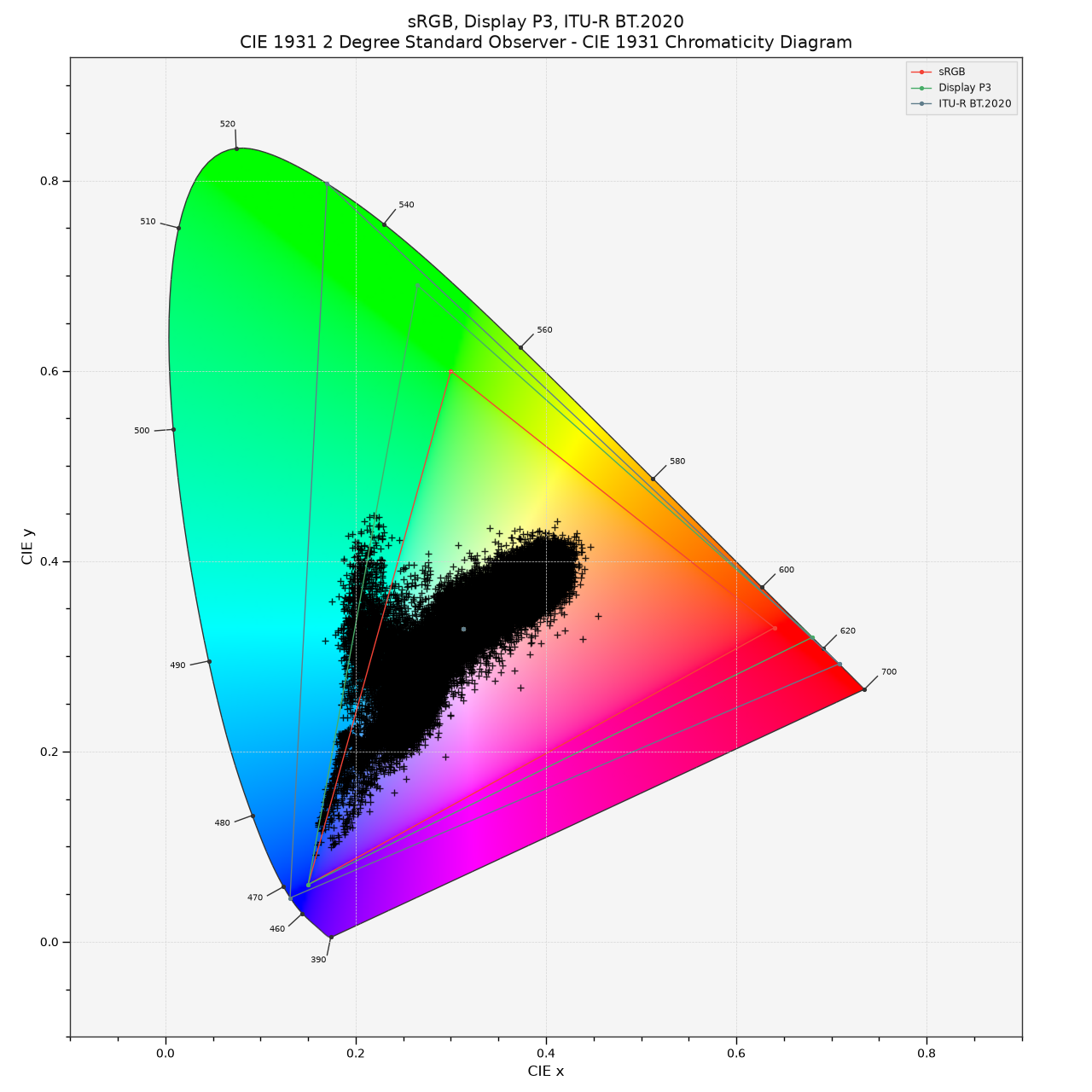
Starting with the Barcelona still image that has highly saturated blue (parking sign) and cyan colours (crane on the right). Next, I rendered out a display linear “signal” EXR in Nuke and fed this into the Python colour-science environment to generate the plots.
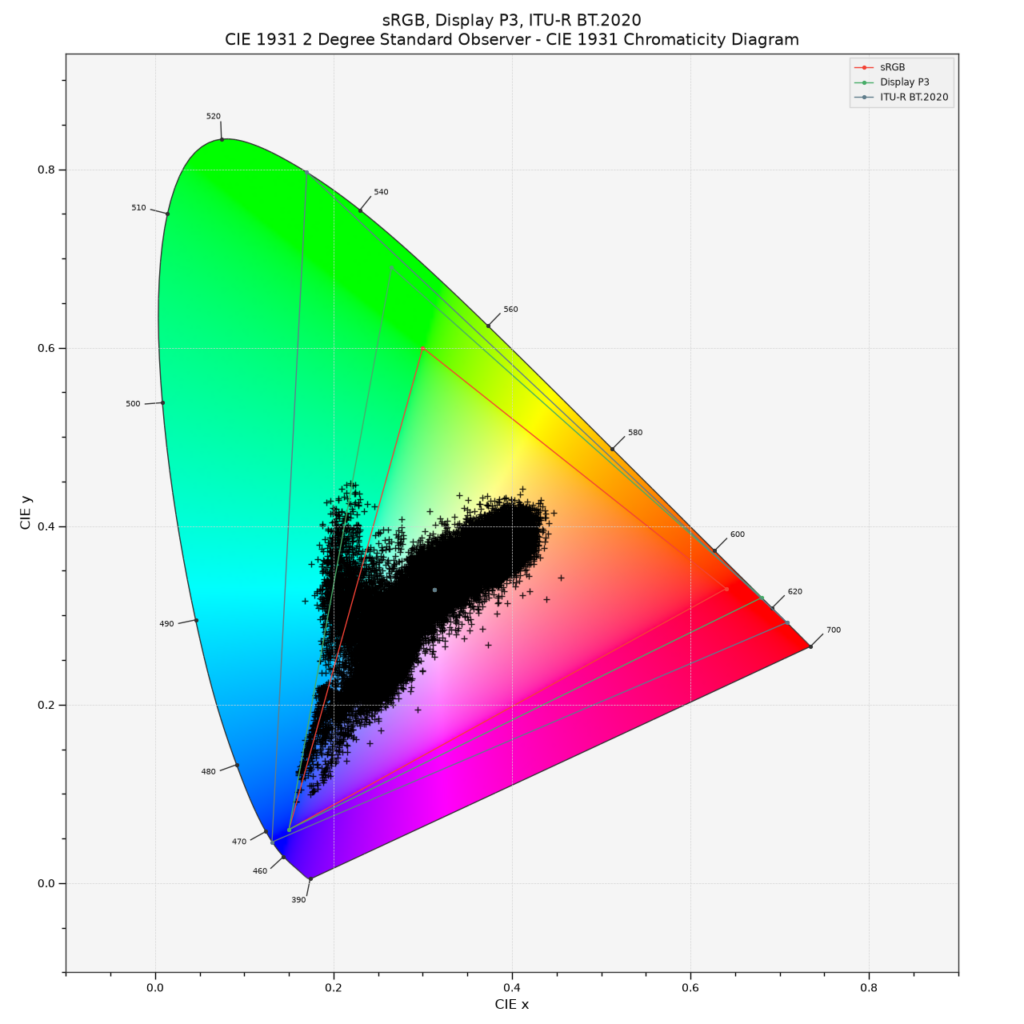
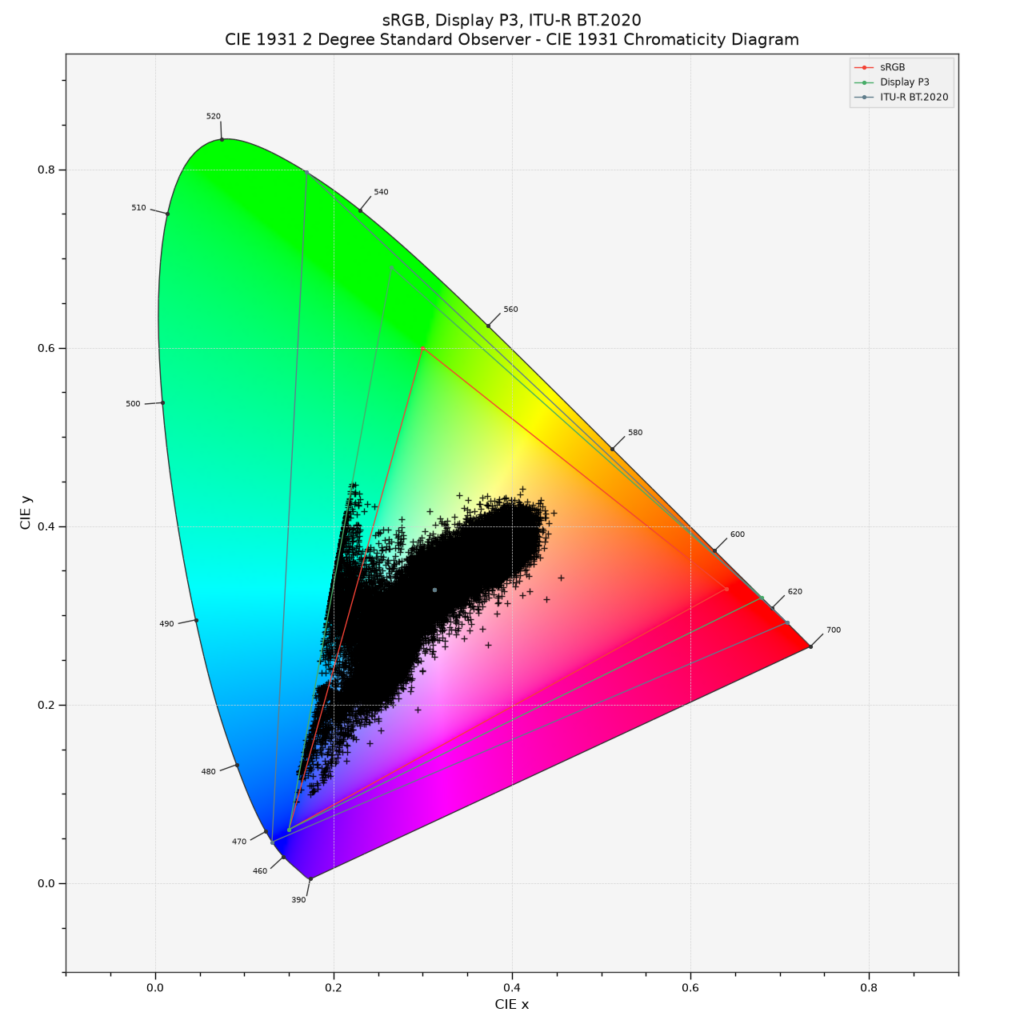
The CIE plot illustrates the signal output from a Display-P3 capable HDR display. Values exceed the sRGB and even Display P3 gamuts. Perhaps an Apple Studio Display XDR can display these values, as it should also cover the Adobe-RGB gamut (plot on the left). Otherwise, most HDR displays likely reach the edge of the Display-P3 gamut (plot on the right). Visually, the difference would be difficult to discern, perhaps only noticeable by comparing a P3-limited signal image to an unclipped one.
Next, the HDR down converted to an SDR in Rec.709 image.
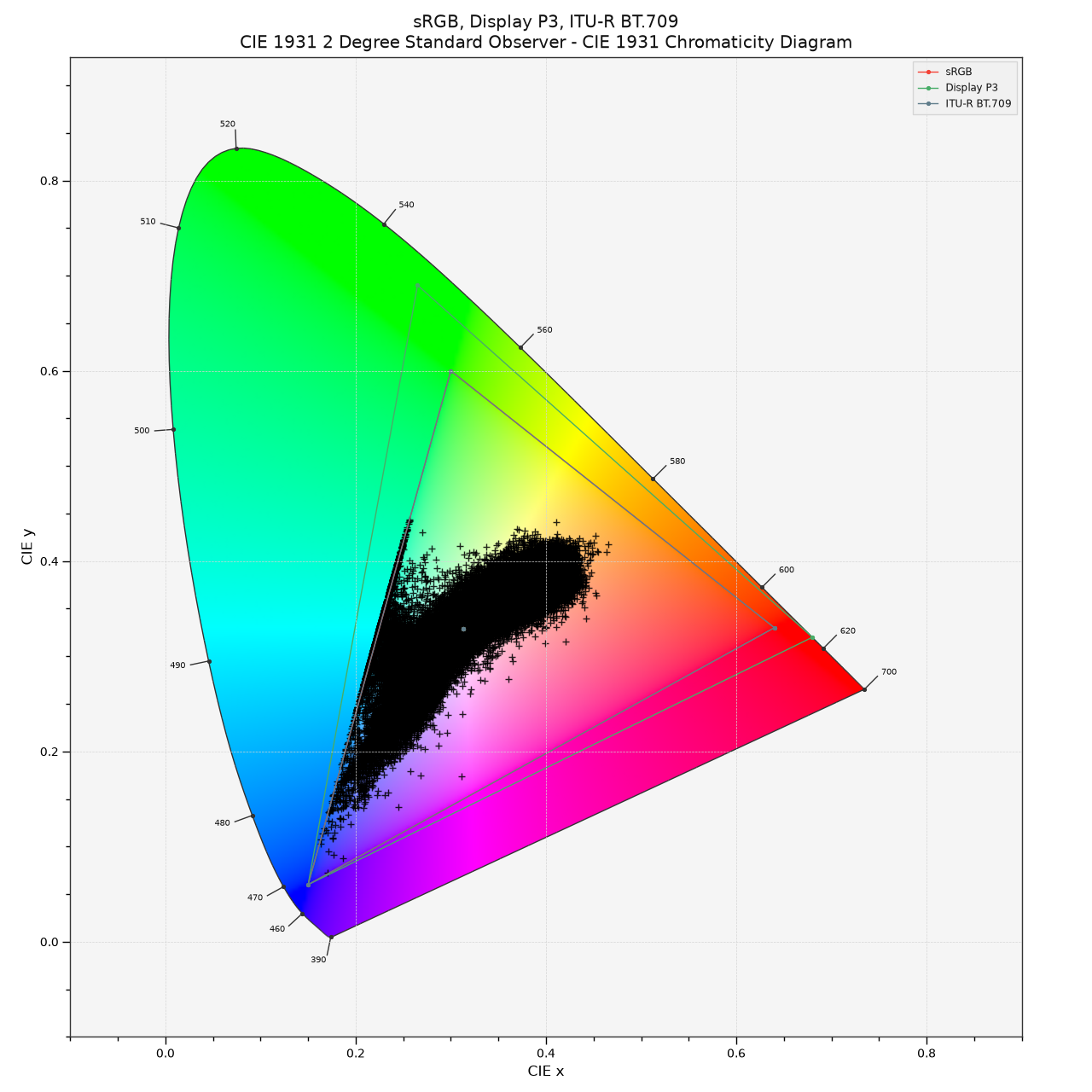
A CIE-plot of the display linear signal is limited to Rec.709.
This SDR image will be now the source for the beeble.ai SDR-to-HDR conversion tool. The next image is the HDR result from beeble.ai.
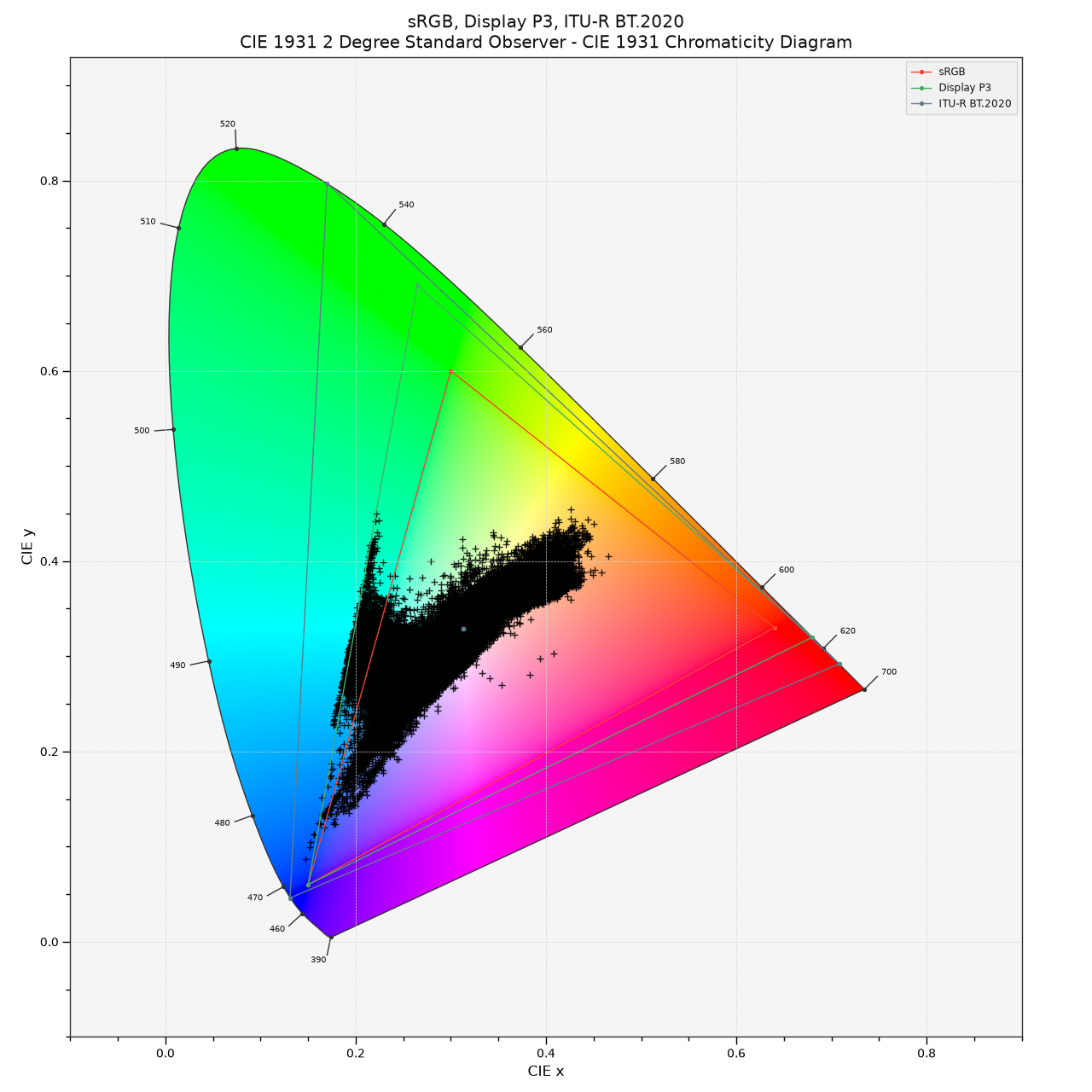
The HDR result is brighter but lacks overall saturation compared to the original HDR grade. This is most noticeable on the building facade in the centre of the image. The CIE plot also shows this shift, with some of the more intense warm yellow and orange colours missing.
This contact sheet includes all three Barcelona night images along with their corresponding CIE plots. It also offers a sneak peek at the next test image revealing the tail lights of the Prius.
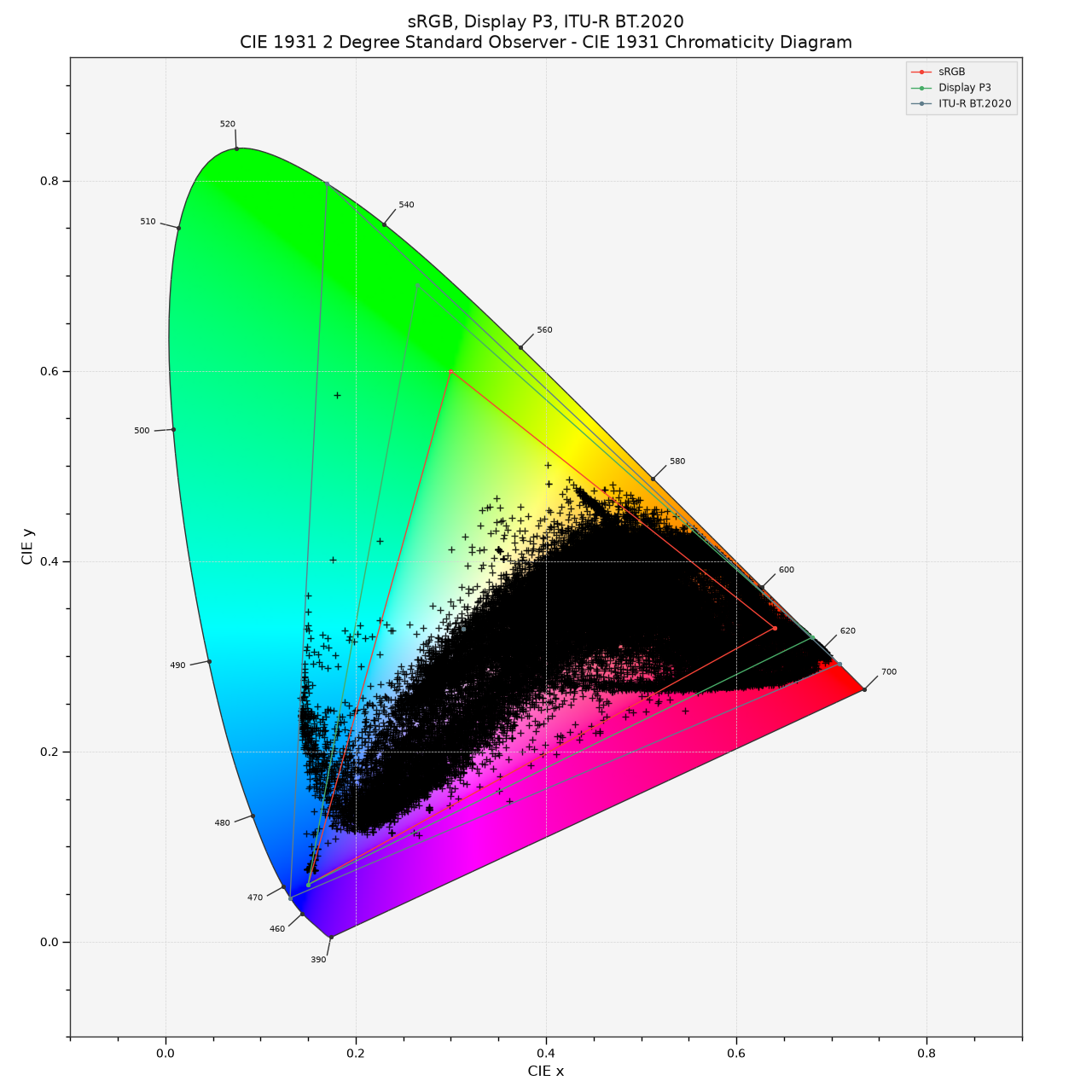
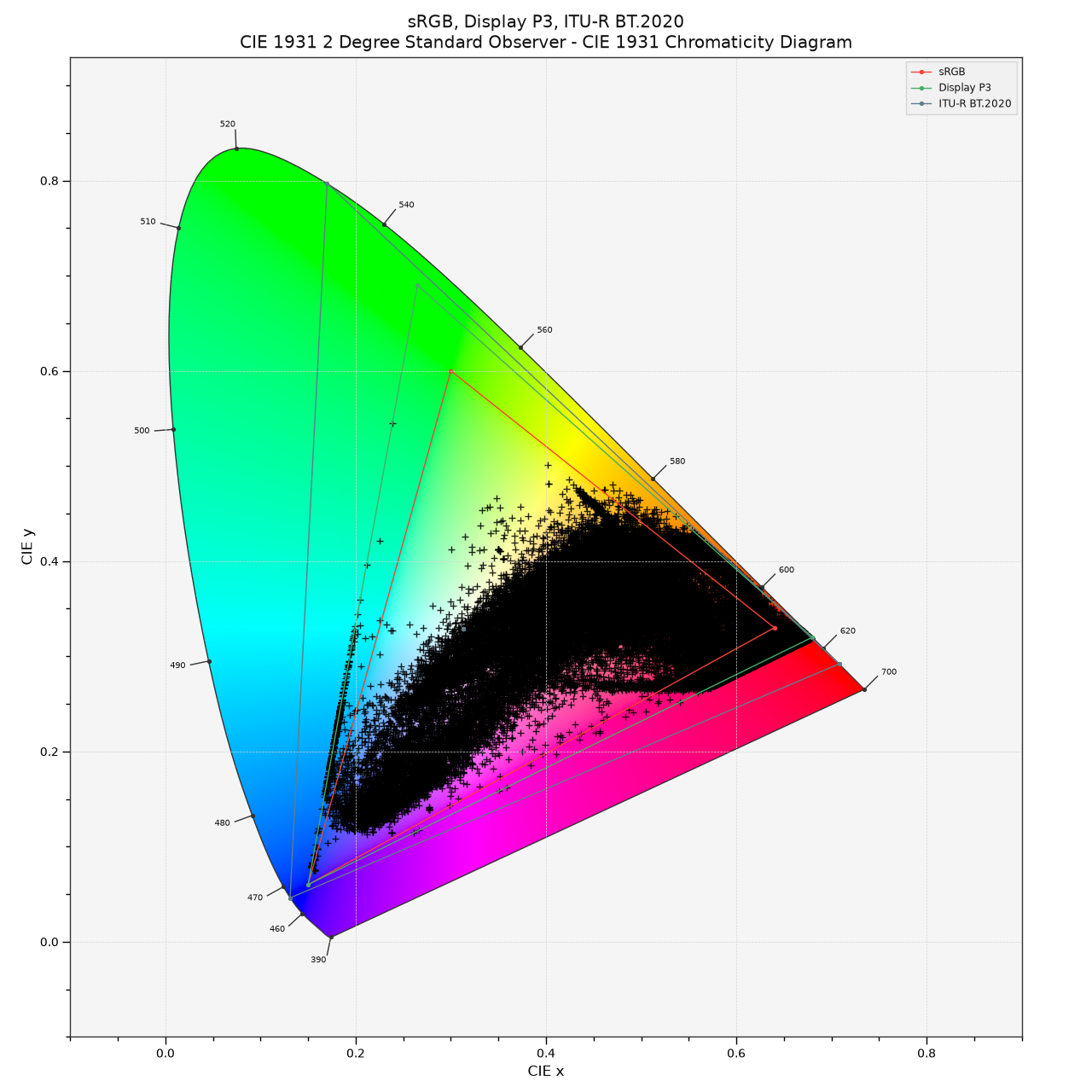
The Prius taillights emit intense red from the LEDs and some yellowish light reflecting in the car’s side windows. The CIE plots illustrate the distribution of highly saturated coloured pixels. The left plot represents the Rec.2020 gamut signal while the right shows a Display-P3 limited version.
The SDR version of the same shot is restricted to the Rec.709 colour gamut. Interestingly, the automatic down-conversion didn’t utilise the full Rec.709 gamut in the blue/cyan areas, particularly in the top-right corner of the traffic light image.
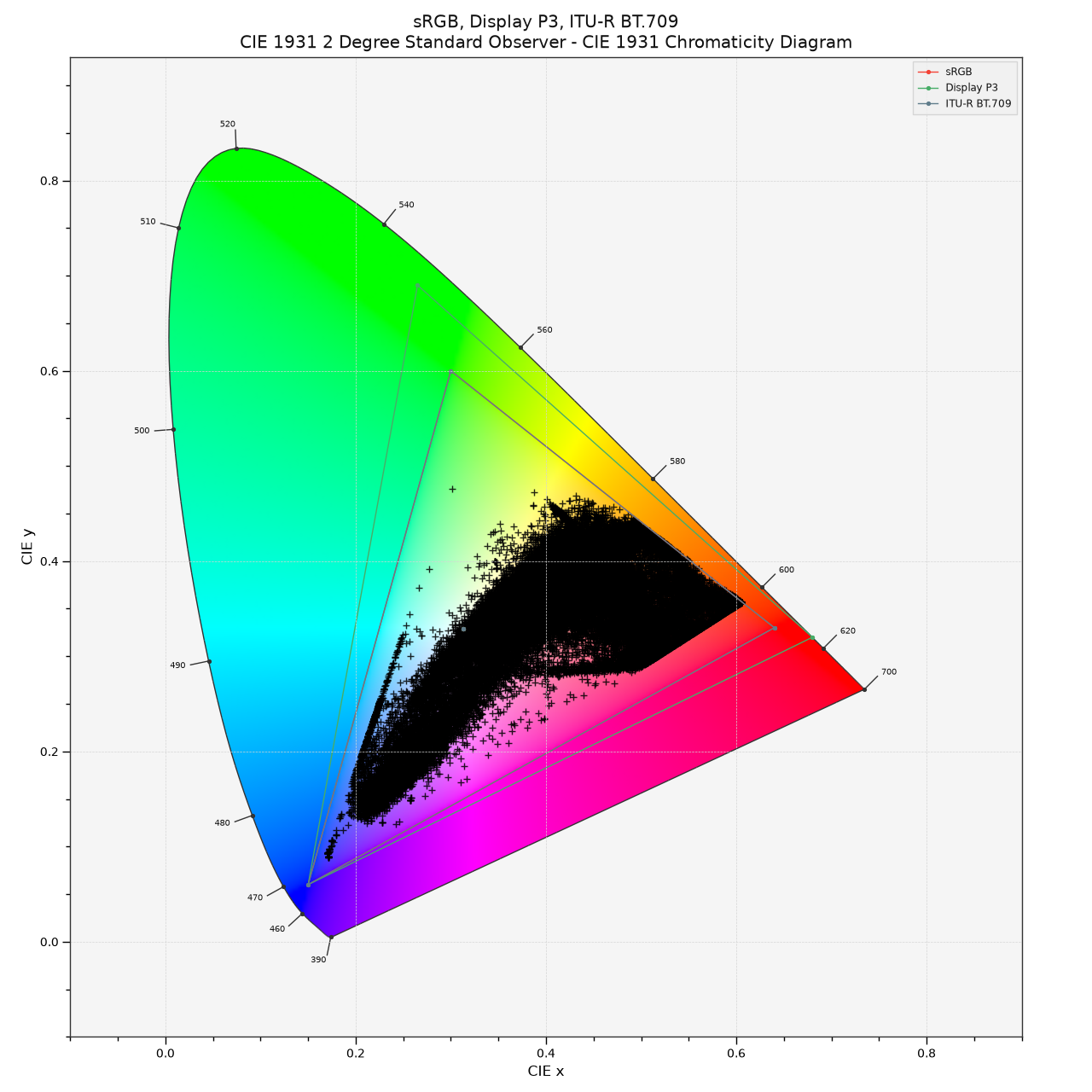
This SDR clip served as the source for the beeble.ai SDR to HDR conversion. The HDR result features a bright taillight but the window reflections aren’t very vivid. Interestingly the gamut has expanded and the green traffic light values aren’t as clipped. Beeble.ai introduced new pixels with greater variation.
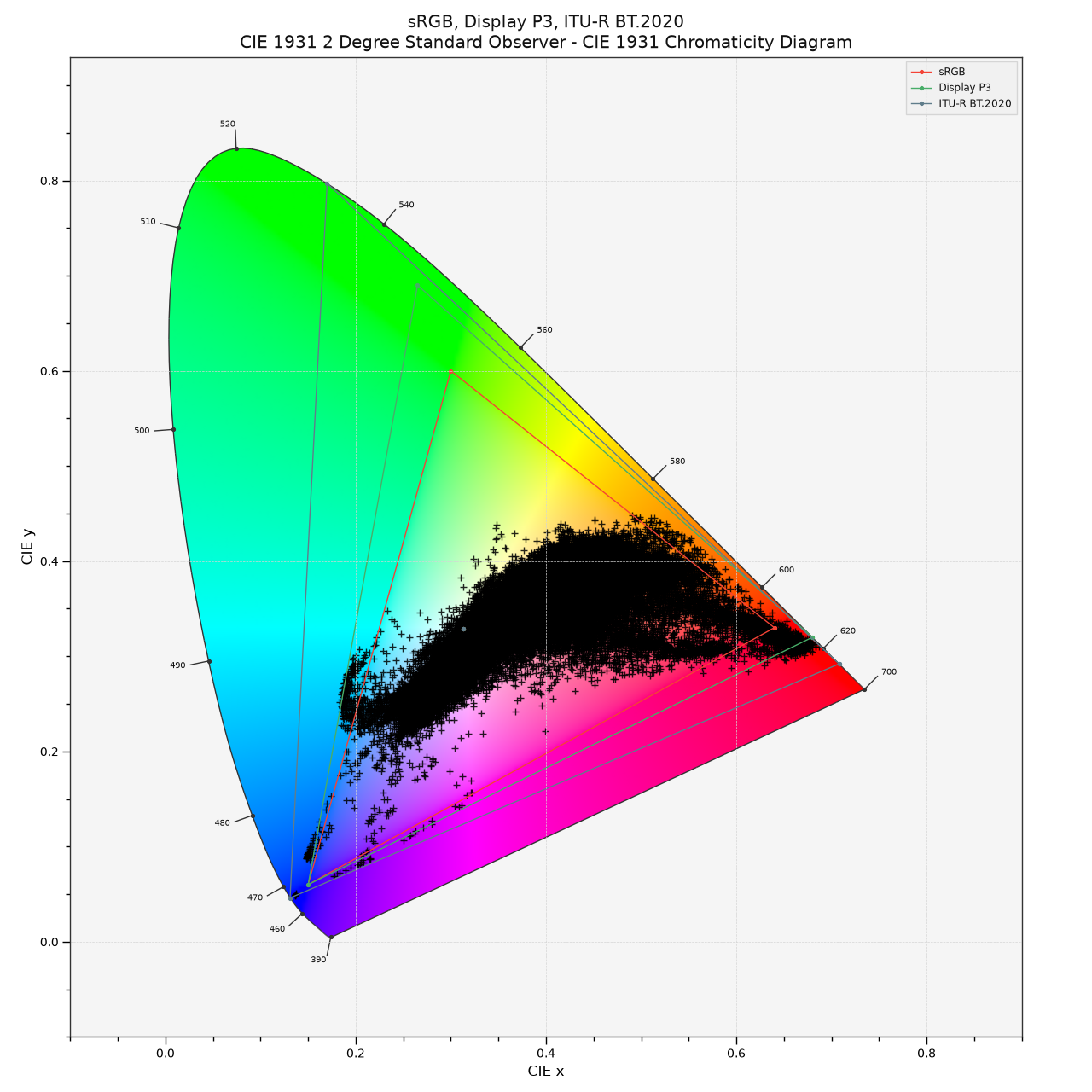
To conclude this post, I’ve compiled all the images and CIE plots together. Additionally, I’ve included a short YouTube clip featuring the same images in UHD-HDR.
I am not of of ideas for this series of articles yet. Maybe I could show another test with a fully AI-generated clip next?