Brylka – TooDee – PanicPost

Category: Nerd stuff

  • Summer projects 2025:

    Here are some projects I worked on this summer.

    Mountain Dew Baja Blast – just a label replacement for a changed logo design [comp in Nuke] at “The Marmelade”


    Bosch – helped out just for a week with some scene transitions [comp in Nuke] at “Serviceplan Make Munich”


    Pfister – retouch and refinement work on the first full AI projects I worked on [comp in Nuke] at “Infected”


    VW Commercial Vehicles campaign AD – conform and online in flame & additional comp work in Nuke at “Infected”

  • HDR “images” on the web

    Finally, an HDR image is directly in the web browser. It is not an image, but a so-called still-frame video. Whatever works to get the screen bright 🙂

    The footage of my side project during the pandemic in February of 2021 got a re-work.

    • All the 7-bracket Canon 7D photos were processed again, this time to ACEScg EXRs files directly.
    • The merged files were “graded” on my MBP in HDR using the new ACES 2.0 image formation pipeline.
    • After the grading was done, the image formation pipeline was switched to ACES 1.3 (with RGC), OpenDRT, and JP_2499 via DCTL in Resolve 20 Studio without any trim pass.
    • A compilation of the best images can be watched in UHD-HDR on YouTube.
    • The intro “still” image is also a video file. But it works…

    HDR still image

    This is a .mp4 file set to “Autoplay”, hide the “Playback controls” and set to “Play inline”

    …there is a good chance you see only an empty space. I tested this page on an iPhone Pro, iPad, and MacBookPro. They all show the HDR “image”.
    I also could test this page on a basic Android mobile phone. Chrome does not support these still “video” files it seems. At least not on this specific device.

    Link to YouTube clip and Social Media links with vertical video versions.

    For the Social Media format exports I used FCPX.

  • New OCIO configs available

    New OCIO configs arrived in the last months. I am happy to see more and more options available to try out and test for productions.

    Update: Added “DAS-UBER-OCIO-Config” from Chris Brejon

    ACES 1.3 — OpenColorIO-Config-ACES 2.1.0 – 2.2.0 for ACES 1.3


    ACES 2.0 — OpenColorIO-Config-ACES 3.0.0 for ACES 2.0

    At the moment (05/2025) I am only aware that Autodesk Flame 2026, Fusion 20 (public beta), and Blender 4.4 can read this OCIO config. Sadly there is a bug in Blender 4.4.x that makes the OCIOv2 configs for ACES 1.3 and ACES 2.0 unusable. The bug is reported and fixed in the Blender 4.5 alpha version, but it seems this bug won’t get fixed in the Blender 4.4.x releases.

    Default working colorspace: ACEScg

    • Other available linear working colorspaces
      • linear-sRGB/Rec.709
      • linear-P3-D65
      • linear-Rec.2020

    OpenDRT v1.0.0 — Github jedypod / open-display-transform

    Default working colorspace: Filmlight – linear-E-Gamut 2 (this is version 2)

    • Other available linear working colorspaces
      • linear-sRGB/Rec.709
      • linear-P3-D65
      • linear-Rec.2020
      • ACEScg
      • Filmlight – linear-E-Gamut (this is version 1)
      • DaVinci WideGamut

    Thanks to Jed Smith for this new release and all the work and effort he is putting into this project.


    Filmlight T-CAMv3 — Truelight Colour Spaces OCIO config

    Default working colorspace: Filmlight – linear-E-Gamut 2 (this is version 2)

    • Other available linear working colorspaces
      • linear-sRGB/Rec.709
      • linear-Rec.2020
      • ACEScg

    Replayboys — OCIO Configuration by Finn Jäger

    Default working colorspace: ACEScg

    • Other available linear working colorspaces
      • linear-sRGB/Rec.709
      • linear-P3-D65
      • linear-Rec.2020

    A collection of ARRI, ACES 1 & 2 (LUT-bakes), Khronos Neutral and Replayboys Filmic view transforms


    AgX — there are several places where you can find different versions of AgX and even a Python generator for your version of the config.

    I prefer to use an OCIO config that has more options and I found the easiest way to do so is to use the OCIO config that ships with Blender.

    Default working colorspace: linear-sRGB/Rec.709

    • Other available linear working colorspaces
      • linear-sRGB/Rec.709

    The more linear working color spaces are available in each OCIO config, the easier it is to try out different image formation approaches (view transforms).


    Chris Brejon — DAS-UBER-OCIO-Config

     A minimal OCIO config with several image formations for full CG projects. 

    Default working colorspace: linear-Rec.709

    • Other available linear working colorspaces
      • linear-P3-D65
      • linear-Rec.2020
      • linear-xyz
    • featured image formation pipelines
      • OpenDRT 1.0
      • ACES 1.0 / ACES 2.0 (LUT bakes)
      • JP2499
      • RED IPP2 / IPP2 Look
      • Sony Venice – High Contrast
      • Display Encoding (inv. EOTF “gamma 2.4”)
      • Display Log (Cineon Log)
  • Blender 4.5 & ACES 2.0

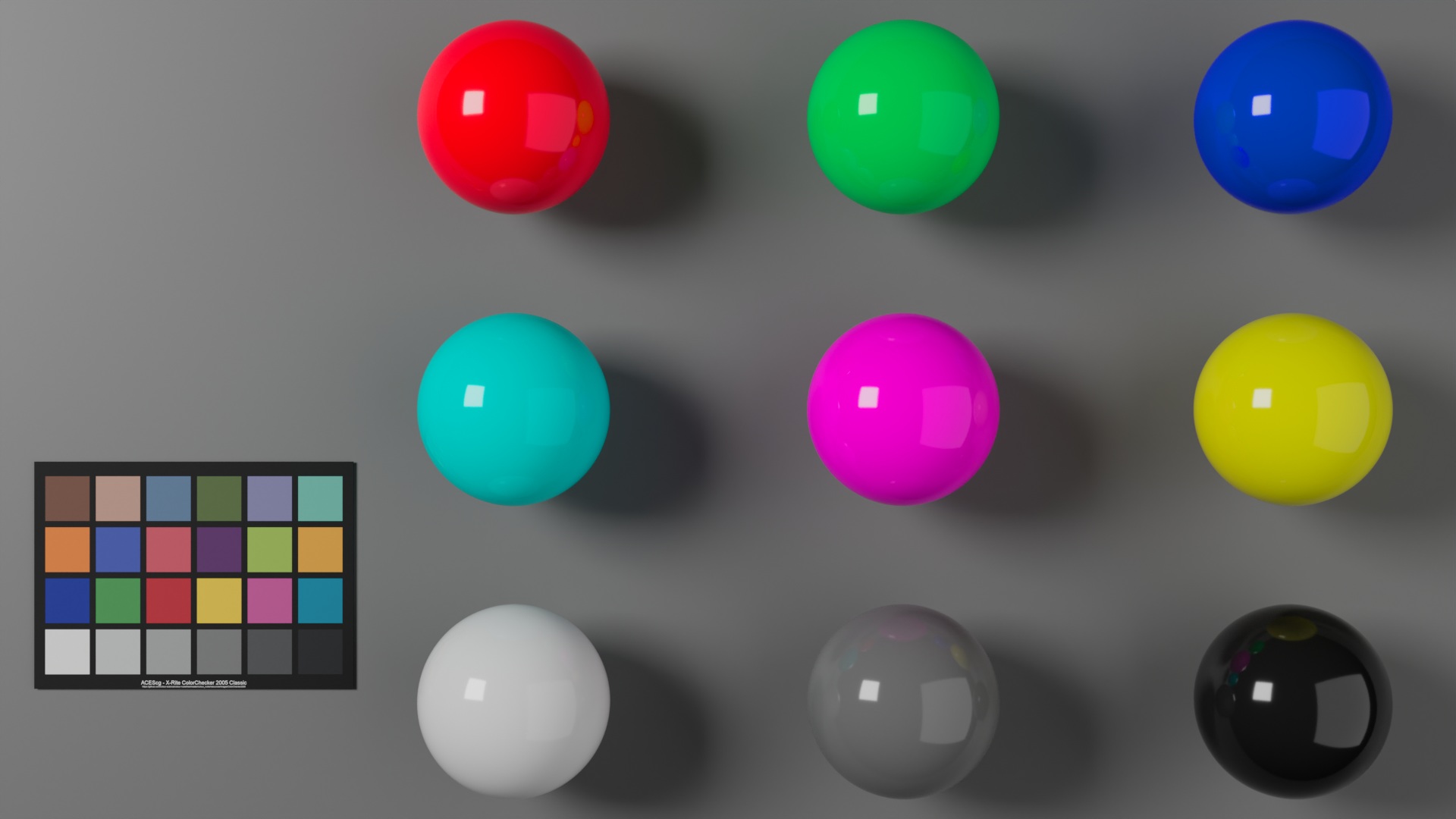
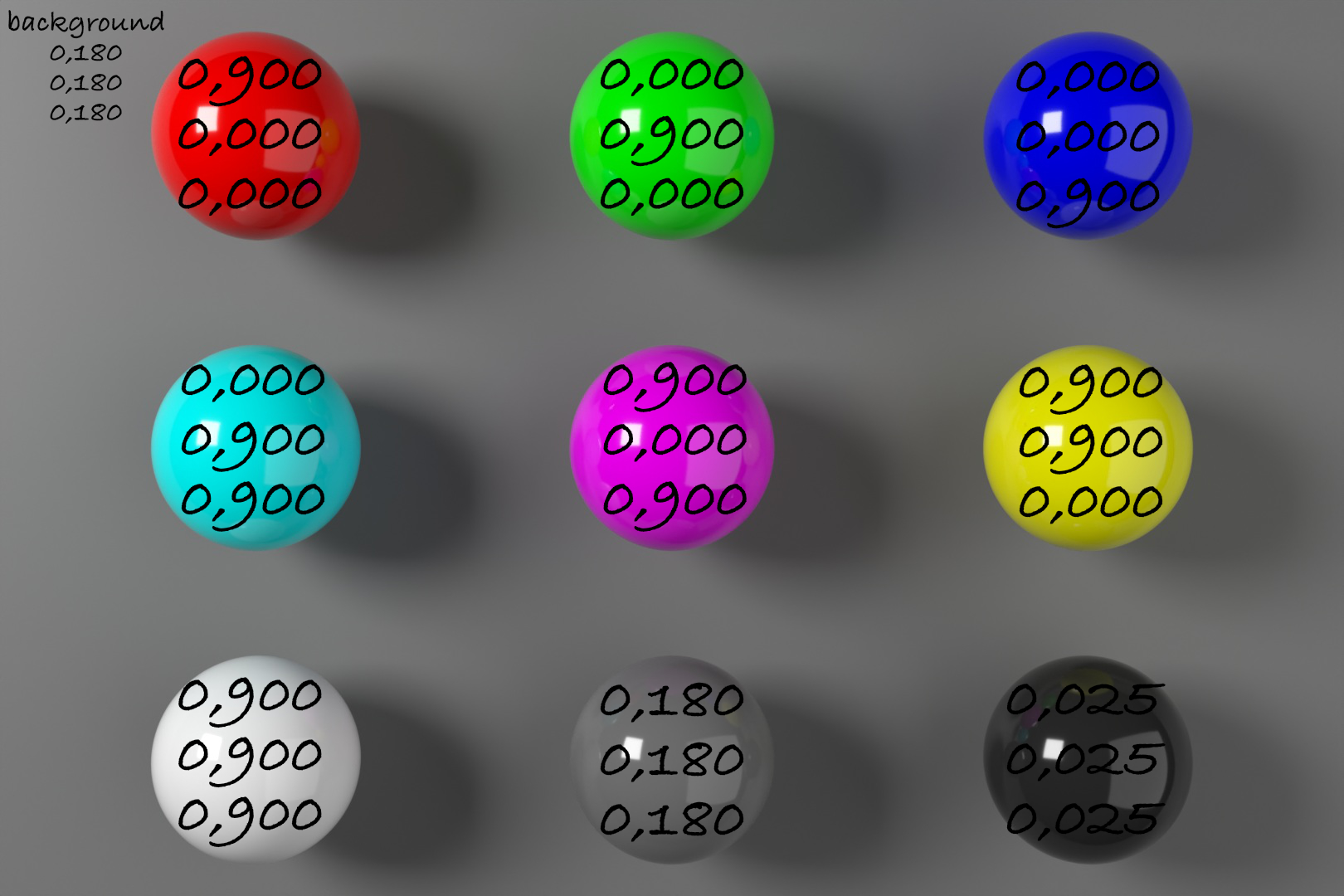
    RGB – CMY – GREY – BALLS in ACES 2.0 (Scene exposure 0.667)

    Blender 4.5 is around the corner (Blender 4.4.x has a serious bug with OCIOv2 configs on MacOS – at least for me) and the new ACES 2.0 OCIOv2 config was recently released. So it’s time for an updated little setup guide on how to start work with the new OCIO config in Blender.

    Head over to 1.5.2. Blender 4.5 & ACES 2.0 to check it out.

    And I wrote a new article in the section “Numbers and meaning” called 4.2. 0,900 or 90% of what? to explore the new ACES 2.0 OCIO config further.

  • OpenColorIO-Config-ACES 2.0.0 available (09/2023)

    There is a new OCIOv2 config available. Check the link for the updates.

    The name of the release is a bit confusing again, because the config contains:

    • New configs in version v2.1.0
    • ACES 1.3, ACES 2.0 is still in development
    • OCIOv2 in point release 2.3

    For me as a MAC user with Display P3 screens, the following feature could be important: “DisplayP3 Related Colorspaces and Display Rendering Transforms”. But I need to test the new config a bit.

    Actually as I am also testing the new Nuke 15 Beta, I saw that Nuke supports only OCIOv2 up to version 2.2, not 2.3.

  • Holiday links (06/2023)

    During a two weeks summer break in Seville I took the time to study a bit of 3D rendering background. I found a YouTube playlist from the Technische Universität Wien about the topic: “TU Wien Rendering / Ray Tracing Course“. The course is super interesting, great that this kind of knowledge is available for free.

    I am subscribed already for quite some time to the channel “Two Minute Papers” from Károly Zsolnai-Fehér and enjoyed some of his short videos.

    I also watched some videos about the Mitsuba 3 renderer.

    It was used to generate some test images for the ACES 2.0 CAM DRT Development thread on ACESCentral.com.

    I used that renderings to generate some comparison videos for the discussions on the ACESCentral thread. I wanted to see these renderings through different image formation pipelines like ACES 1.2, ACES 2.0 dev035, ARRI Reveal, Baselight’s T-Cam and AgX in SDR and HDR.


    I also found another video on YouTube called “Practical Aspects of Spectral Data in Digital Content Production – SIGGRAPH 2022”. This is very technical.

    Already before the holidays I found this presentation called “The Full Spectrum of Virtual Production“. Some of the concepts are explained in the Siggraph video as well.

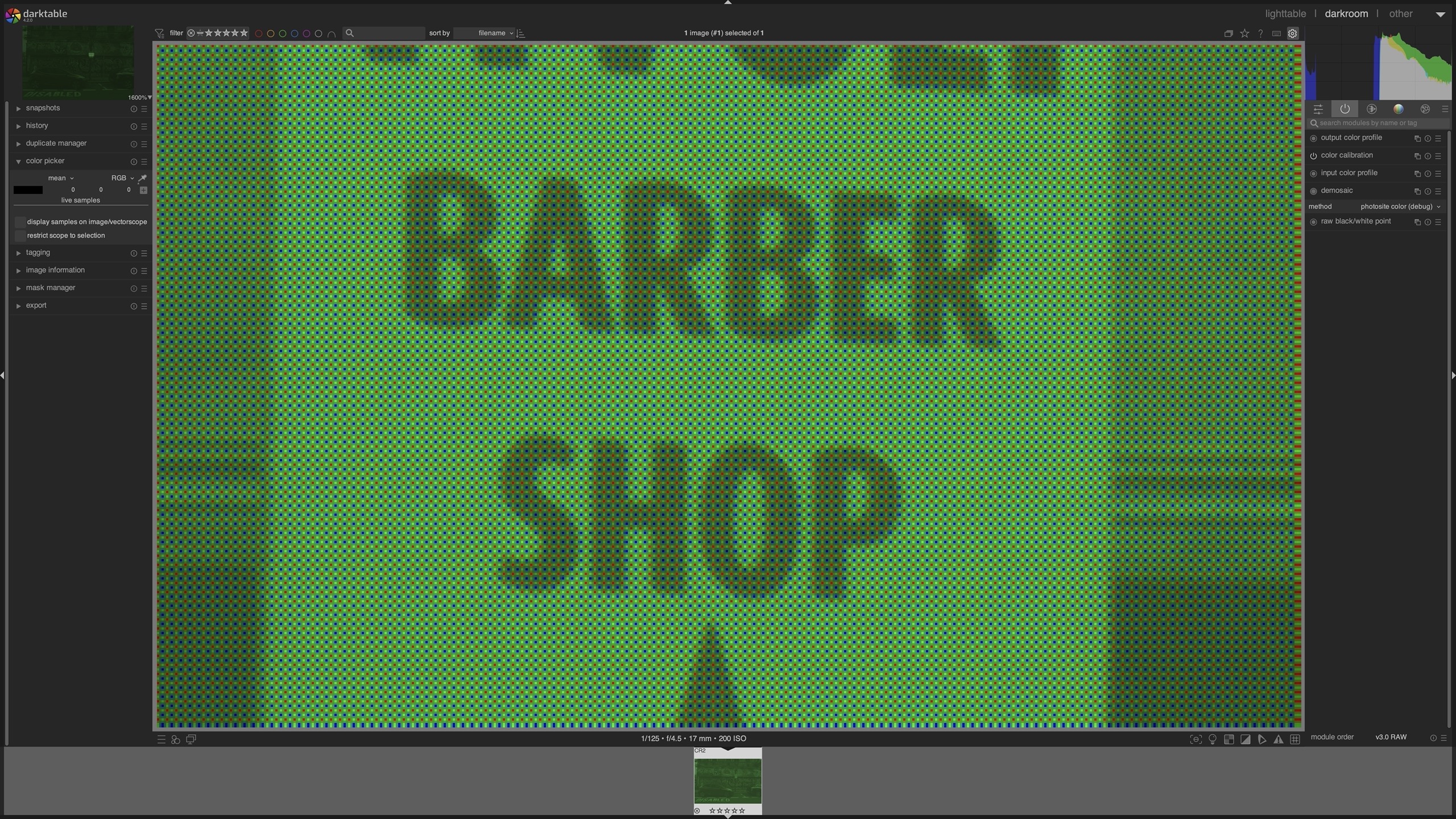
  • What does a digital camera RAW file store?

    • An image?
    • numbers?
    • A/D converted sensor values?
    • colours?
    • light information?

    When I use a photo develop program like Capture One, Affinity Photo or darktable I don’t really need to care. I am presented with an image, I can tweak it and hopefully get out a good looking digital photo.

    But when I want to know what color an object in a photo has? What do the values in a RAW (or digital native) image tell me? This is the second part in the series “Numbers and meaning” with the second article called “It’s getting RAW“.

    darktable bayer pattern photo site color (debug mode)
  • Need more options? – try Blender and AgX.

    Here is a little “How-To” use Blender with a different OCIO config called AgX.

  • Holiday links (10/2022)

    I like to store and share some links that I found interesting and useful in the last months. Here they are:

    A new OCIO v2 config called AgX and a video explaining some of the ideas behind it.

    https://youtu.be/68xlyvRewKk
    A three part series about the new display rendering transform AgX.

    Some interesting insights in DSLR camera native file or also called RAW files.

    Another interesting video about camera RAW and some insights into the capabilities of DarkTable.

    I watched this video 20 times, but I am still too dumb to repeat the same steps with a scan that I made with Scaniverse or PolyCam. One day I will hopefully understand the right workflow.

    All the steps are easy to understand, but I still fail to make them work for me.

    I bought the PDF to support the efforts from Grzegorz Baran.

    A PBR Color Reference List for Materials.